
Good input photos give the model more useful information about each dancer. They cannot guarantee an exact likeness, but clear faces, visible bodies and distinct appearances make the pairing easier to describe and review.
Start with the right pair
Choose two adults or two pets in the creator. Use two separate photos with one subject in each. A couple photo is not automatically split into two dancers. Mixed human–pet pairs and a single-photo mode are not supported.
Only use photos you own or have permission to use. For people, use adults who agreed to appear in an AI-generated dance.
What a useful pet photo looks like
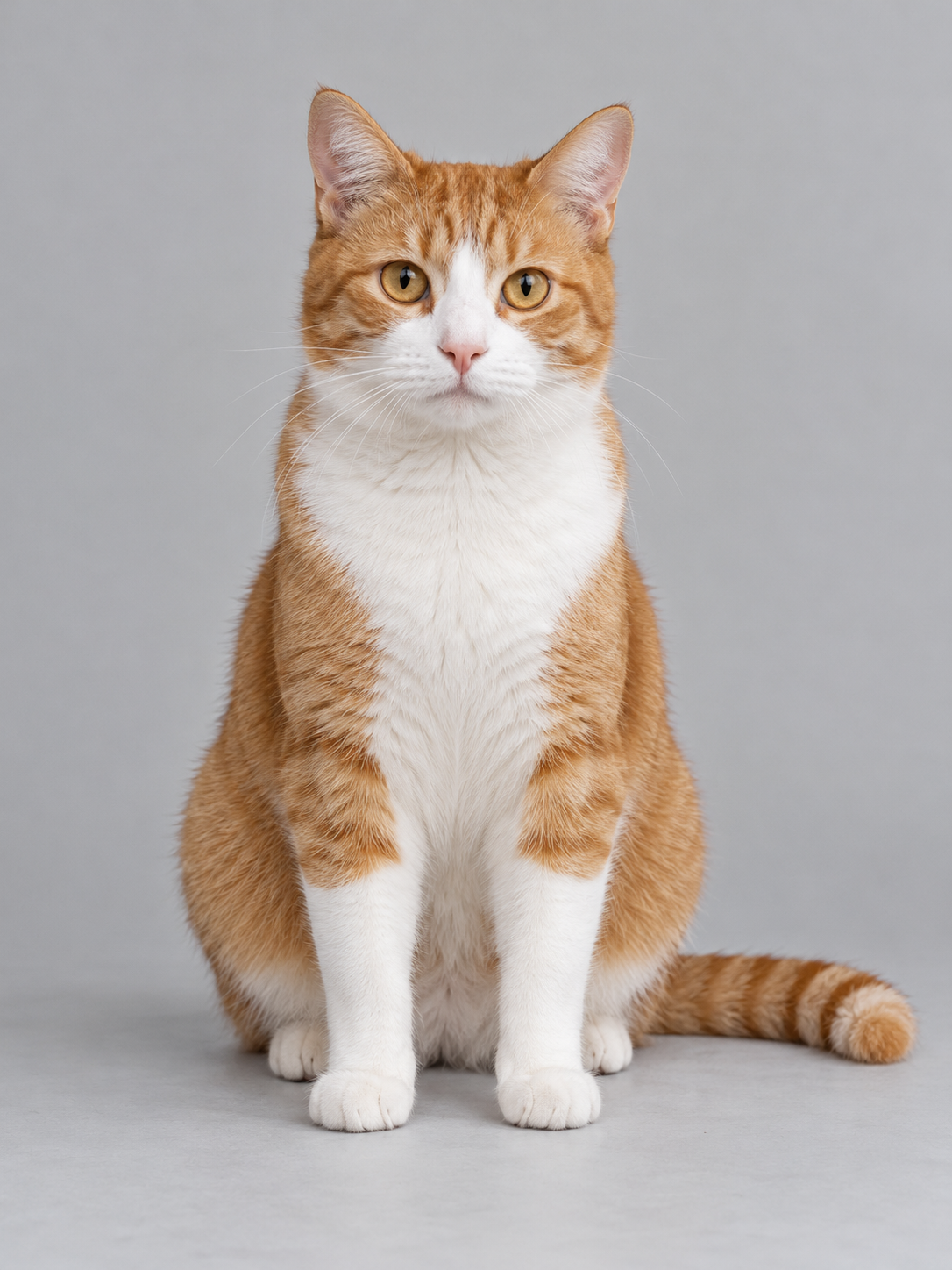
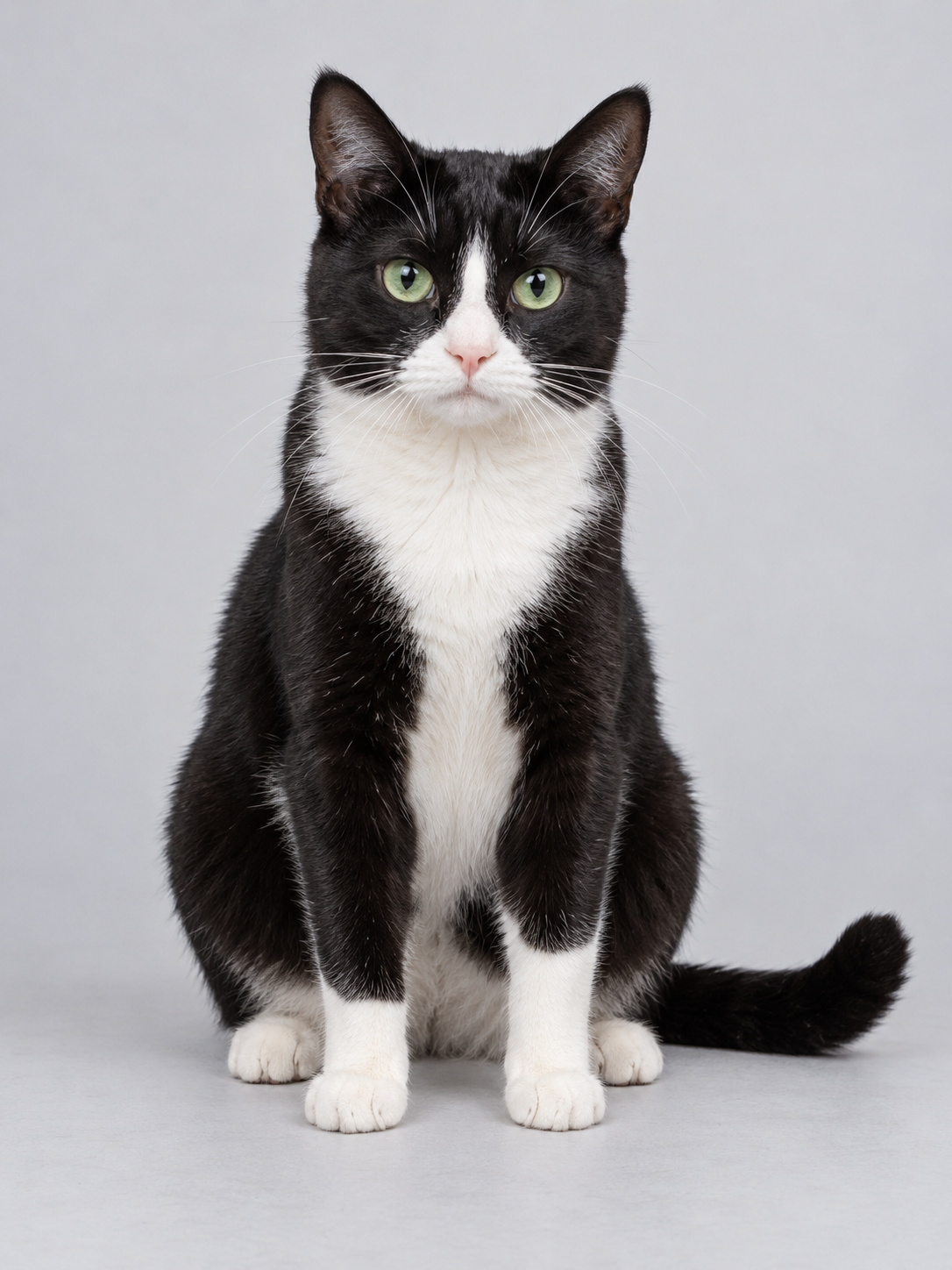
These are the two inputs from our real cat dance example. Their different coat colours help you follow the two roles in the output. They demonstrate this cat case only; they do not establish the same result for dogs, other pets or adults.
For pets, show the face, ears, body outline and recognisable coat markings. Avoid blankets or furniture hiding most of the animal. If two pets have very similar markings, check the finished video carefully for identity swaps.
What to choose and what to avoid
| Choose | Avoid | Why it matters |
|---|---|---|
| One clearly visible subject | Group photos or several pets together | The intended dancer becomes ambiguous |
| Even light and a sharp original | Dark, blurry or heavily compressed screenshots | Faces and markings are harder to follow |
| Full body, or as much body as possible | A tight face crop with no outfit or body visible | The model has less information about proportions and clothing |
| An unobstructed face | Sunglasses, hands over faces or strong filters | Important identity cues are missing |
| Space around hands, feet and ears | Limbs or ears cut off at the image edge | The model must invent missing details |
These are preparation tips, not results from a controlled comparison of every photo type.
Tips for two adult photos
Choose front-facing photos with the face visible and, where possible, the full outfit and body in frame. Give hands, feet and raised arms room. Keep the original aspect ratio rather than forcing both photos into matching square crops.
The adult mode follows its own human dance reference. The cat example is not evidence of adult identity quality. Turns, overlapping faces and the ending close-up can change likeness even with good photos.
Check the two roles before starting
Use Main dancer for the lead and Dance partner for the other subject. Review both previews and swap them if needed. A role follows a dancer through the routine, not a permanent screen position. See the main dancer and partner guide.
Both slots accept JPEG, PNG or WebP up to 10 MB per photo. Selected photos are saved in the current browser so you can return; removing a photo or clearing the selection removes that saved photo too. Only submit once you have checked the previews and permission confirmation.
If the result changes a face or markings
Review the full video, including turns and close-ups. A completed video can contain visual changes; a successful task is not a guarantee of exact identity. For a technical problem, keep the task ID and contact support. Do not repeatedly submit an uncertain task. A deliberate new generation uses another 100 credits.
Prepare your two photos, follow the full generation steps, or watch the real two-cat result.